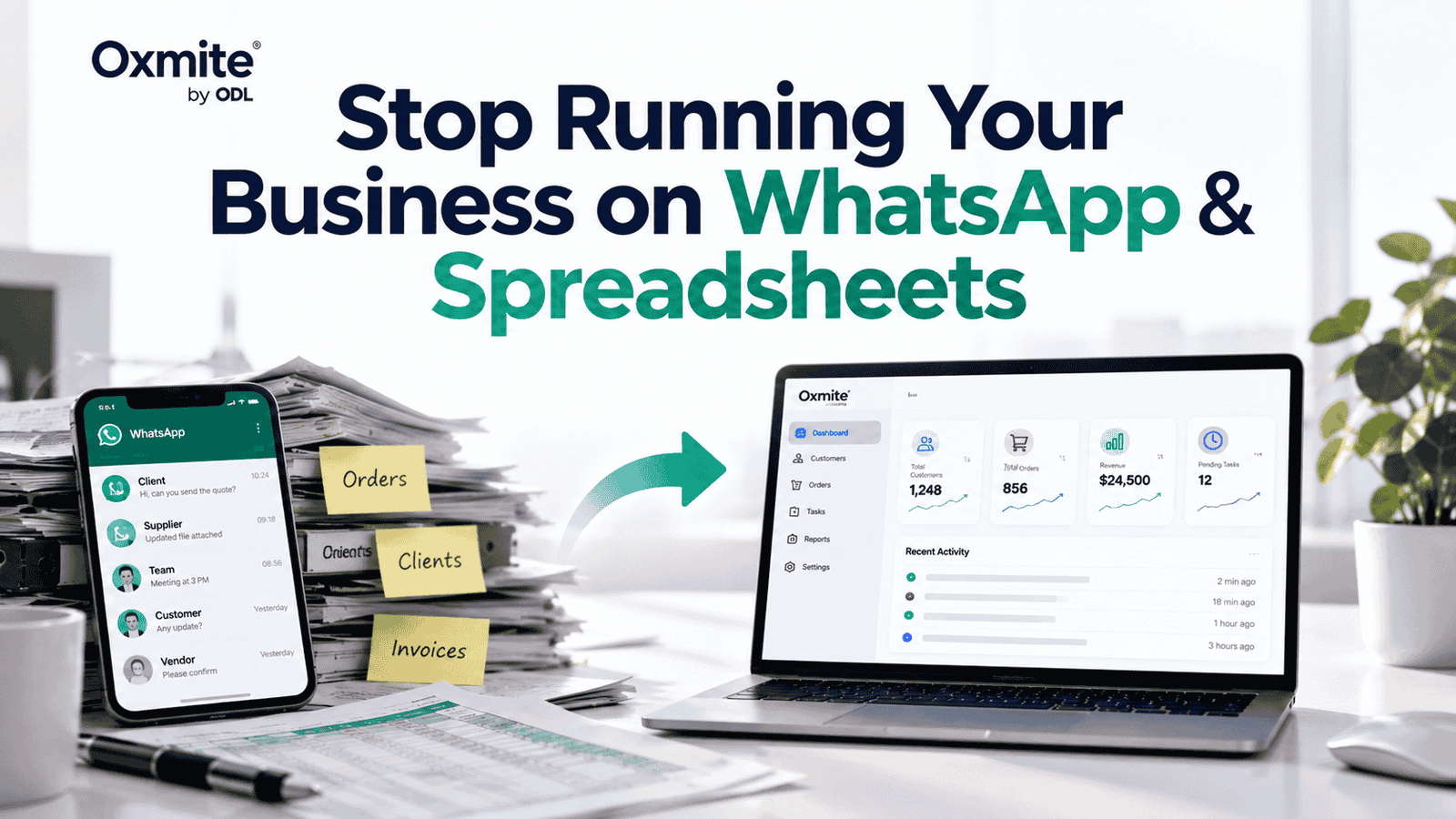
If customers live in WhatsApp, orders live in spreadsheets, tasks live in people’s heads and reports require manual reconciliation, growth is creating operational risk.
WhatsApp and spreadsheets are not bad business tools. They are fast, familiar and often perfectly suitable when a company is small. The problem starts when more customers, employees, transactions and data make those simple processes difficult to control.
That is often the point where custom business software becomes worth considering — not because the business needs more technology, but because existing processes are starting to limit efficiency, visibility and growth.
When WhatsApp and Spreadsheets Are Still Enough
Not every manual process needs custom software.
If your team is small, transaction volume is manageable and information is easy to track, spreadsheets and messaging tools may remain the simplest solution.
Software becomes more relevant when employees spend increasing amounts of time moving information between systems, searching conversations, correcting mistakes, preparing reports or asking colleagues for updates.
The decision should be based on operational pain and business value rather than company size alone.
Warning Sign: You Have Multiple Versions of the Truth
One employee updates one spreadsheet. Another keeps a separate version. Sales information is in WhatsApp while finance maintains its own records.
Soon, a simple question such as “What is the current status of this customer?” requires checking several places.
A centralized system can create one controlled source for important operational information.
Business example: Instead of maintaining separate sales, order and customer spreadsheets, a company could use a central dashboard where authorized employees see the latest status.
Warning Sign: Your Team Repeats the Same Data Entry
Manual data entry becomes expensive when employees repeatedly copy the same information between messages, spreadsheets, invoices and other systems.
It also creates opportunities for missing or inconsistent information.
Business process automation can connect suitable steps so information moves through a workflow without being manually re-entered every time.
Business example: A website enquiry could automatically create a customer record, assign a salesperson and generate a follow-up task instead of requiring an employee to copy the details manually.
Custom web app development can be particularly useful when these repetitive workflows are unique to the way your company operates.
Warning Sign: Enquiries and Follow-Ups Get Lost
WhatsApp works well for conversations. It becomes harder to manage when hundreds of conversations also represent leads, orders, approvals, complaints and follow-up tasks.
Important messages can move down the conversation list without creating accountability.
A custom CRM or workflow system can turn activity into structured records with owners, statuses and next actions.
Business example: A sales enquiry could move through stages such as New Lead, Contacted, Proposal Sent, Follow-Up and Closed rather than existing only as a message thread.
The business outcome is greater visibility over opportunities that might otherwise be forgotten.
Warning Sign: Customers Depend on Staff for Simple Tasks
If customers must message an employee every time they need an invoice, booking update, order status or account information, both sides are spending unnecessary time.
A customer portal can make appropriate information available through secure self-service.
Business example: Instead of messaging support to ask about an order, a customer could log in and see its current status, documents and relevant updates.
Self-service does not mean removing human support. It means employees can focus on interactions that genuinely require human attention.
Warning Sign: Management Cannot See What Is Happening in Real Time
Business decisions become harder when reports require several people to collect and reconcile information manually.
Management may want simple answers: How many enquiries are open? Which orders are delayed? What is the current sales pipeline? Which tasks are overdue?
If answering these questions requires building another spreadsheet every week, the reporting process itself may need improvement.
A centralized dashboard can turn operational data into useful management visibility.
Business example: An operations manager could view current orders, pending actions and workflow bottlenecks from one dashboard rather than requesting separate updates from multiple employees.
Warning Sign: The Business Depends on One Person’s Memory
A process becomes fragile when only one employee knows how it works.
If approvals, customer history or next actions exist mainly in someone’s memory or private conversations, staff absence can interrupt operations.
Custom software can turn important workflows into defined steps, permissions and records.
Business example: Instead of one employee remembering which orders require approval, the system can automatically place relevant orders into an approval queue for the responsible manager.
The goal is not to remove human judgment. It is to stop routine business knowledge from disappearing inside individual inboxes and conversations.
What Can Custom Business Software Actually Do?
Custom software can bring disconnected business processes into one controlled environment.
Depending on the requirement, this could be a custom CRM, customer portal, booking system, management dashboard, staff portal, marketplace or workflow automation platform.
The right solution depends on the underlying process.
A logistics company may need an operations dashboard. A service company may need a CRM and quotation workflow. A membership business may need a customer portal. A marketplace may need separate customer, supplier and administration interfaces.
This is why the first question should not be “Which software should we build?”
It should be “Which process is currently limiting the business?”
Your New Software Does Not Need to Replace Everything
Building custom software does not automatically mean abandoning the systems your business already uses.
A new platform may be able to integrate with existing accounting, CRM, payment, email, messaging or other business systems where suitable integrations and APIs are available.
The objective is to remove unnecessary fragmentation while retaining tools that already work well.
At Oxmite, we approach custom software as part of the wider business system rather than assuming every existing tool needs to be replaced.
Start With an MVP Instead of Rebuilding Everything
A common mistake is trying to automate the entire company in one project.
Start with the process causing the greatest operational pain.
For example, if enquiries are being lost, the first phase might focus on lead capture, assignment, status tracking and follow-up. Reporting, customer portals and advanced automation can be added later if they create enough value.
An MVP reduces unnecessary scope and allows the business to test the new workflow before expanding it.
Custom software should grow with evidence rather than assumptions.
Map the Process Before Requesting a Software Quote
Before asking a development company for a quotation, document how the process works today.
You do not need technical documentation.
Simply describe:
- What starts the process?
- Who is involved?
- Which tools are currently used?
- Where is information entered?
- Which steps require manual work?
- Where do delays or mistakes usually happen?
- What should happen automatically?
- Which existing systems need to remain connected?
This gives a development partner something much more useful than a generic request for “custom software.”
The goal is to understand the workflow before deciding what technology should replace or improve it.
Do You Actually Need Custom Software?
Sometimes the answer is no.
An existing SaaS product may already solve the problem effectively. A better spreadsheet, improved process or integration between existing tools may be enough.
Custom software becomes more compelling when your workflow is commercially important, difficult to manage with standard tools or requires functionality and integrations that existing products do not provide effectively.
A good technology partner should be willing to tell you when not to build something.
If you are still deciding between different digital products, our guide to choosing between a website, web app and mobile app provides a useful starting point.
Final Takeaway
WhatsApp and spreadsheets can support a business for years. The problem begins when growth turns convenient tools into operational bottlenecks.
Duplicate data, repetitive entry, lost follow-ups, manual reporting, limited customer self-service and dependence on individual employees are all signals worth investigating.
Custom business software can centralize information and automate suitable workflows, but it should only be built where the business value justifies it.
Do not begin by asking what software you need.
Begin with the process that is causing the problem.
Show us your current workflow — we’ll identify what should be automated, what should stay manual and where existing tools can remain integrated.
Request a Free Business Process Automation Assessment.