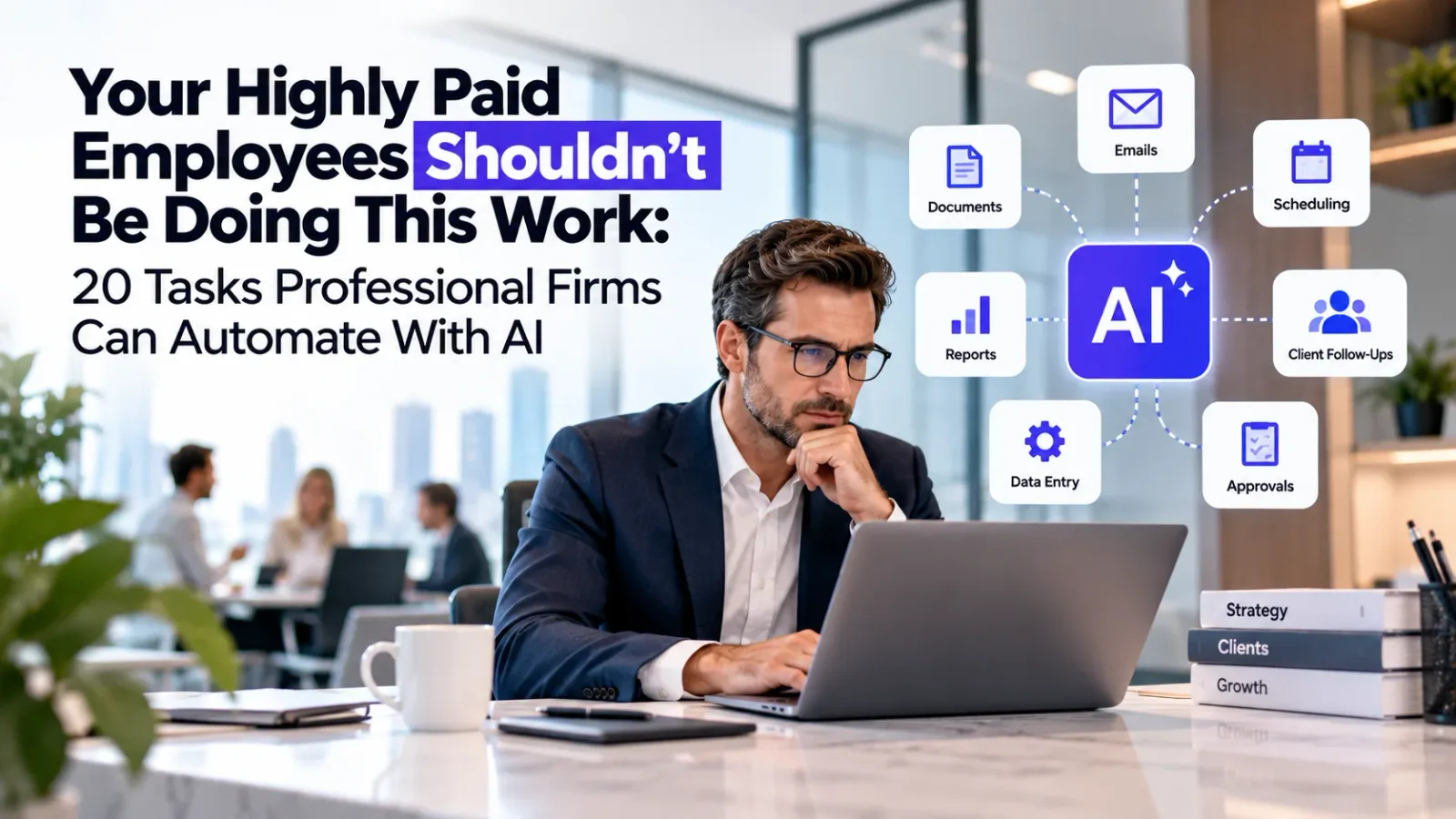
Your most expensive employees may be spending hours every week on work that does not require their expertise.
Lawyers, accountants, consultants, architects and other professionals are hired for their knowledge, judgment and ability to solve complex problems. Yet much of their working day can disappear into emails, document preparation, data entry, reporting and administrative follow-ups.
With AI workflow automation for professional services, firms can reduce repetitive work, improve operational efficiency and give highly skilled employees more time for billable work and valuable client relationships.
The objective is not to replace professional expertise. It is to stop wasting that expertise on tasks that technology can handle more efficiently.
Why Professional Firms Lose Money Through Manual Work
Many professional firms grow by hiring more people as workloads increase.
However, not every additional task requires another highly paid professional.
When senior employees spend time copying information between systems, scheduling meetings, preparing routine documents or chasing approvals, the business uses expensive capacity for work that may be partially automated.
The real opportunity is to increase the productive capacity of your existing team without proportionally increasing administrative costs.
AI automation, custom integrations and internal business tools can help firms achieve this by connecting their existing systems and reducing unnecessary manual steps.
20 Tasks Professional Firms Can Automate With AI
Client Enquiries and Business Development
1. Initial Client Enquiry Handling
AI assistants can respond to routine enquiries, collect basic requirements and direct potential clients to the appropriate team. This reduces the time professionals spend answering repetitive questions.
2. Lead Qualification
AI workflows can organize incoming leads based on service requirements, company size, project type or other approved business criteria. Sales teams can focus on enquiries that match the firm's services.
3. Meeting Scheduling
Automated scheduling tools can coordinate availability, send booking confirmations and manage meeting reminders without repeated emails.
4. Proposal and Quotation Drafting
AI can prepare first drafts of proposals using approved templates, client requirements and service information. Professionals review pricing, commitments and final recommendations before sending.
5. Client Follow-Up Reminders
CRM automation can identify unanswered enquiries, pending proposals and scheduled follow-ups, helping teams maintain consistent communication.
Administrative and Document Automation
6. Document Data Extraction
AI document-processing tools can extract relevant information from forms, invoices and other structured or semi-structured documents, reducing manual entry.
7. Routine Report Preparation
Automated reporting systems can collect information from connected business platforms and prepare draft reports for professional review.
8. Meeting Notes and Action Items
With appropriate consent and security controls, AI can summarize meetings, identify action items and prepare follow-up notes.
9. Document Classification and Organization
AI can categorize documents, suggest file names and organize information within approved document management systems.
10. Internal Approval Workflows
Automation can route documents, expenses and requests to the appropriate approvers while tracking outstanding decisions.
These workflows help reduce administrative delays and give professionals more time for client-facing responsibilities.
Finance, Billing and Operational Efficiency
11. Invoice Preparation
Connected systems can generate draft invoices using approved billing information, recorded services and existing financial data.
12. Payment Follow-Up
Automated workflows can send appropriate payment reminders, identify overdue invoices and notify finance teams when human intervention is required.
13. Timesheet and Activity Reporting
AI-assisted tools can organize available work records and prepare draft time entries for employee verification, reducing repetitive reporting.
14. Expense Processing
Document automation can extract expense details, categorize transactions and route reimbursement requests for review.
15. Management Dashboard Updates
Instead of manually combining spreadsheets, firms can connect approved data sources to dashboards that track projects, revenue, workload and operational performance.
The business benefit is not simply faster administration. It is better visibility and fewer hours spent preparing information that already exists across different systems.
Knowledge Management and Team Productivity
16. Internal Knowledge Search
An AI-powered knowledge assistant can help employees find approved policies, procedures, templates and previous project information without manually searching multiple folders.
17. Client Onboarding
Automated onboarding workflows can coordinate welcome messages, document requests, administrative checklists and internal task assignments.
18. Project Status Updates
Connected project management tools can summarize completed activities, highlight outstanding tasks and prepare status reports for review.
19. Task Assignment and Workflow Coordination
Automation can create tasks, notify responsible employees and monitor workflow progress based on predefined business rules.
20. Routine Email Drafting
AI can prepare draft responses to common administrative enquiries, meeting requests and status questions, allowing employees to review and send them more quickly.
These examples show how AI business process automation can support daily operations without transferring professional judgment to automated systems.
How to Identify Your Highest-ROI Automation Opportunities
Not every repetitive task should be automated.
The best starting point is work that happens frequently, follows reasonably predictable rules and consumes significant employee time.
For example, imagine a professional firm where several employees spend time each week preparing similar reports, transferring information between systems and following up on routine client requests.
If those processes can be automated reliably, the firm may recover valuable employee capacity.
A simple way to estimate the opportunity is:
Hours saved per month × Fully loaded hourly employee cost = Estimated monthly capacity value
This calculation is illustrative. Recovered capacity is not automatically a cash saving or additional revenue.
Actual financial returns depend on implementation costs, software subscriptions, maintenance, review time and whether the recovered hours can be used productively.
The strongest automation opportunities usually combine meaningful time savings with low operational risk and measurable business value.
Connect AI With Your Existing Business Systems
Many firms already use CRM platforms, accounting software, email, document management systems and project management tools.
The problem is that these systems often operate independently.
Employees repeatedly transfer information between applications because the software does not communicate automatically.
A connected AI automation system can integrate existing tools through supported APIs and custom workflows.
For example, a new client enquiry could create a CRM record, initiate an onboarding checklist, assign an internal task and prepare a draft welcome message.
Instead of employees manually coordinating each step, the workflow moves information between systems while preserving necessary approvals.
At Oxmite, we help businesses build AI workflow automation, custom software integrations and internal productivity tools around their existing operations.
What Professional Firms Should Never Automate Blindly
AI should support professionals rather than independently make decisions that require expertise, accountability or legal responsibility.
Legal advice, financial recommendations, clinical decisions, contractual commitments and other high-stakes professional work require appropriate qualified oversight.
Firms must also protect confidential client information, manage access permissions and verify AI-generated outputs.
A successful automation strategy identifies which activities can run automatically, which require approval and which should remain entirely human-led.
The goal is intelligent delegation of repetitive work, not the removal of professional accountability.
Start With Three High-Impact Workflows
Professional firms do not need to automate twenty processes immediately.
A practical approach is to identify three repetitive workflows that consume significant time and create measurable operational problems.
Start with a process audit, document the current steps and calculate the estimated cost of manual work.
Then evaluate whether existing software features, integrations or custom AI tools offer the most suitable solution.
Implement one workflow, measure the results and expand only when the process is reliable.
This approach reduces unnecessary technology spending and makes automation easier for employees to adopt.
Build a More Productive Professional Services Firm
Your highly paid employees should spend their time solving client problems, developing relationships and delivering specialized services.
They should not spend unnecessary hours copying information, chasing routine updates or preparing repetitive administrative documents.
AI workflow automation for professional services can help firms reduce operational friction, improve response times and create more capacity within their existing teams.
At Oxmite, we design AI automation systems, custom integrations and internal business tools that help professional firms streamline routine operations.
Our approach begins with understanding your existing workflows and identifying where automation can create measurable business value.
Final Takeaway
Professional firms do not always need more employees to handle growing administrative workloads.
Sometimes they need better systems.
By automating suitable repetitive tasks, connecting disconnected software and introducing AI-assisted workflows, firms can give their teams more time for high-value work.
The most effective strategy starts with identifying where expensive employee time is being consumed unnecessarily.
How much valuable employee time is your firm losing to repetitive administrative work?
Find Your Highest-ROI Automations with Oxmite and discover which workflows could deliver the greatest operational value for your business.