Every growing business has work that employees repeat daily: answering similar questions, transferring information, chasing approvals and preparing reports. These activities are necessary, but they can delay customer responses and limit capacity. AI automation services help companies redesign suitable tasks so software handles routine steps while employees retain oversight. For small and medium-sized businesses, the opportunity is not to automate everything. It is to identify one measurable bottleneck, connect existing tools and improve the process without compromising customer trust or data protection.
What Are AI Automation Services?
AI automation services combine artificial intelligence, software integration and workflow design to complete repeatable business tasks. Traditional automation follows predefined rules; AI can also interpret emails, classify documents, summarize requests and draft responses. Together, they can move information between systems and prompt employees when judgment is required.
For example, an incoming enquiry can be categorized, added to a CRM and assigned to a salesperson. A human still approves unusual pricing or contractual commitments. The result is a controlled workflow, not an unsupervised replacement for your team.
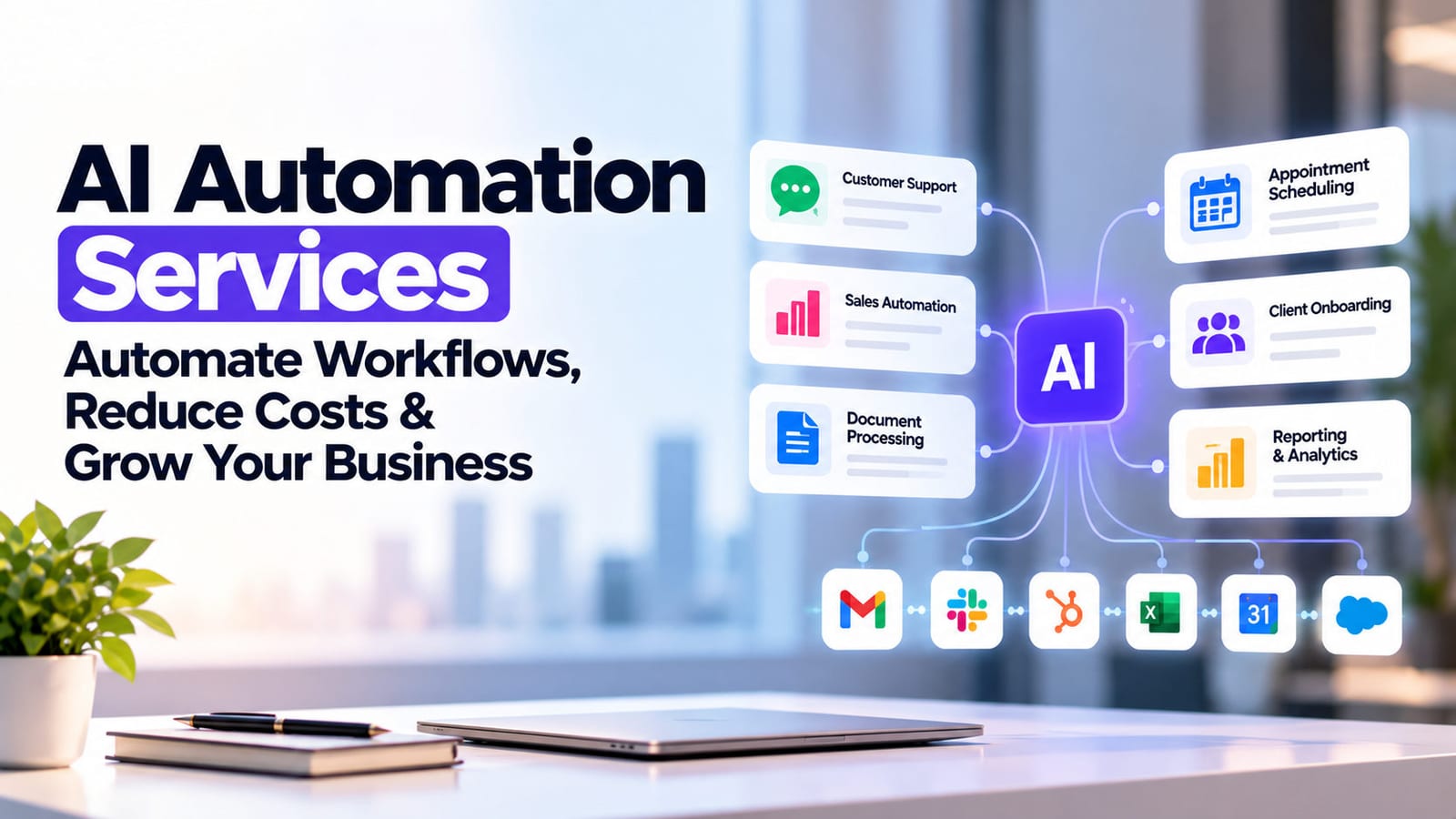
6 Business Processes You Can Automate With AI
Customer support
An AI assistant can answer approved FAQs, gather details and escalate complex complaints. Connect it to current policies so customers receive consistent information rather than invented answers.
Sales lead follow-up
Capture enquiries from website forms and messaging channels, identify the requested service and trigger timely follow-ups. Salespeople receive organized context instead of searching across inboxes.
Invoice and document processing
AI can extract invoice fields, check missing information and send exceptions for review. Finance teams approve payments and investigate mismatches before records are finalized.
Management reporting
Combine data from approved spreadsheets and business systems into scheduled summaries. Managers can review trends and anomalies without manually copying figures each week.
Appointment scheduling
Connect booking requests with calendar availability, confirmations and reminders. Staff handle exceptions, rescheduling disputes and requests that need personal attention.
Client onboarding
Collect forms, check required documents, create tasks and notify responsible colleagues. A structured handover reduces the risk of requests being forgotten between departments.
How AI Workflow Automation Works With Existing Software
Effective AI workflow automation usually begins with systems you already use: email, CRM, accounting software, calendars and databases. A developer maps the process, defines permitted actions and connects compatible tools through APIs or secure integrations.
Consider a service enquiry. A form triggers an AI classification step; the CRM records the request; a rule assigns an owner; the prospect receives an acknowledgment. If confidence is low, the workflow pauses for review.
Start with a limited pilot, test exceptions and keep logs. Not every process needs AI: straightforward rules may be cheaper and more reliable.
AI Automation Costs and ROI: What Businesses Should Consider
Pricing depends on workflow complexity, integrations, data preparation, security requirements, testing and ongoing support. A simple approval flow differs substantially from a multilingual assistant connected to several legacy systems.
Estimate value using time saved, avoidable errors and faster response times. For illustration, saving five staff hours weekly at an internal cost of €30 per hour represents €150 of potential weekly capacity, not necessarily cash savings. Compare that value with setup, subscriptions, maintenance and human review costs.
Businesses should assess personal-data handling against official data protection guidance and review relevant EU AI Act requirements. Compliance depends on the use case and should be evaluated before deployment.
How to Choose an AI Automation Services Provider
Ask providers to demonstrate a real workflow, not just a chatbot interface. They should explain integration requirements, data access, error handling, testing, ownership and ongoing support.
Request a pilot with agreed measures: processing time, exception rate, staff effort and customer response quality. Clarify which actions require approval and how the system can be paused or corrected. Good business process automation services prioritize reliability and measurable outcomes over ambitious promises. Ask who owns the workflow documentation and whether your staff can operate it independently afterward.
How Oxmite Helps Businesses Implement AI Automation
Oxmite helps businesses identify suitable workflows and connect AI capabilities to existing tools. Its AI Automation & Assistants service covers customer interactions and routine tasks, while AI Workflow & Process Automation focuses on connected operational processes.
Rather than starting with a large transformation project, begin with one recurring problem, establish a baseline and evaluate a pilot. To discuss an appropriate first use case, contact Oxmite for an automation consultation.